SMLMVis.GaussRender
Overview
SMLMVis.GaussRender — Modulemodule GaussRenderMethods for rendering Gaussian blobs into images.
The primary exported function is the render_blobs function, which takes a SMLMData.SMLD structure and renders it into an image. The image is returned as a ColorTypes.RGB{Float32} array.
This can be saved as a PNG file using the save function from the Images package.
Basic Usage
Rendering 2D SMLM Images
2D SMLM images will render with the hot colormap by default.
using SMLMVis
using SMLMSim
using Images

smld_true, smld_model, smld_noisy = SMLMSim.sim(;
    ρ=10,
    σ_PSF=0.13,
    minphotons=50,
    ndatasets=10,
    nframes=1000,
    framerate=50.0,
    pattern=SMLMSim.Nmer2D(),
    molecule=SMLMSim.GenericFluor(; q=[0 50; 1e-2 0]), #1/s
    camera=SMLMSim.IdealCamera(; ypixels=32, xpixels=64, pixelsize=0.1)
    )

out, = render_blobs(smld_noisy; zoom = 20)
[ Info: Rendering 6856 blobs in 1 sections of size 6856
[ Info: Using 3 x 3 rois and 1 threads
[ Info: Rendering Blobs
[ Info: Combining rois
[ Info: Applying colormap
[ Info: Done!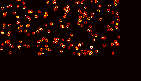
Rendering 3D Images
3D SMLM images will render with a rainbow colormap by default.
using SMLMVis
using SMLMSim
using Images

smld_true, smld_model, smld_noisy = SMLMSim.sim(;
    ρ=10,
    σ_PSF=[0.13, 0.13, 0.3],
    minphotons=50,
    ndatasets=10,
    nframes=1000,
    framerate=50.0,
    pattern=SMLMSim.Nmer3D(),
    molecule=SMLMSim.GenericFluor(; q=[0 50; 1e-2 0]), #1/s
    camera=SMLMSim.IdealCamera(; ypixels=32, xpixels=64, pixelsize=0.1)
    )

out, = render_blobs(smld_noisy; zoom = 20)
save("nmer3d.png", out) # hide
API
SMLMVis.GaussRender.add_blob!SMLMVis.GaussRender.add_blob!SMLMVis.GaussRender.add_blobs!SMLMVis.GaussRender.add_blobs!SMLMVis.GaussRender.apply_colormap_to_imageSMLMVis.GaussRender.apply_colormap_to_imageSMLMVis.GaussRender.create_colormapSMLMVis.GaussRender.gen_blob!SMLMVis.GaussRender.quantile_clamp!SMLMVis.GaussRender.render_blobsSMLMVis.GaussRender.render_blobsSMLMVis.GaussRender.render_blobs
SMLMVis.GaussRender.add_blob! — Methodadd_blob!(image, patch, offset_x, offset_y)Add a single blob to an image patch at the specified offset.
Arguments
- `image::AbstractArray{<:Real}` : The image patch to which the blob will be added.
- `patch::ImagePatch2D`          : The blob to be added to the image.
- `offset_x::Int`                : The x-offset for the blob.
- `offset_y::Int`                : The y-offset for the blob.
Returns
The image patch with the added blob.SMLMVis.GaussRender.add_blob! — Methodadd_blob!(image, patch)Arguments
image::ImagePatch2D: The image patch to which the blob will be added.patch::ImagePatch2D: The blob to be added to the image.
SMLMVis.GaussRender.add_blobs! — Methodadd_blobs!(image, patches)Add multiple blobs to an image patch.
Arguments
- `image::ImagePatch2D` : The image patch to which the blobs will be added.
- `patches::Vector{ImagePatch2D}` : A vector of image patches to be added to the image.
Returns
- The image patch with the added blobs.SMLMVis.GaussRender.add_blobs! — Methodadd_blobs!(image, patches, cmap, z_range)Arguments
- `image::ImagePatch3D` : The 3D image patch to which the blobs will be added.
- `patches::Vector{ImagePatch2D}` : A vector of 2D image patches to be added to the image.
- `cmap::ColorScheme` : The colormap to be applied to the blobs.
- `z_range::Tuple{Real,Real}` : The range of z-values for the colormap.
Returns
- Images added to patches are added to the image at the corresponding z-index based on the z-value of the patch.SMLMVis.GaussRender.apply_colormap_to_image — Methodapply_colormap_to_image(gray_image::ImagePatch2D, cmap, percentile_cutoff)Applies a colormap to a 2D grayscale image patch after clamping its intensity values.
Clamps the intensity values of the grayscale image patch based on the specified percentile cutoff, and then applies the given colormap.
Arguments
- `gray_image::ImagePatch2D`            : The input 2D grayscale image patch.
- `cmap`                                : The colormap to be applied.
- `percentile_cutoff`                   : The percentile cutoff for intensity clamping.
Returns
- An image with the colormap applied.SMLMVis.GaussRender.apply_colormap_to_image — Methodapply_colormap_to_image(gray_image::ImagePatch3D, cmap::ColorScheme, percentile_cutoff)Apply a colormap to a 3D grayscale image patch after clamping its intensity values.
Clamps the intensity values of each layer in the 3D grayscale image patch based on the specified percentile cutoff, and then applies the given colormap. The final RGB image is constructed by accumulating the color values from each layer.
Arguments
gray_image::ImagePatch3D: The input 3D grayscale image patch.cmap::ColorScheme: The colormap to be applied.percentile_cutoff: The percentile cutoff for intensity clamping.
Returns
- An RGB image with the colormap applied.
SMLMVis.GaussRender.create_colormap — Methodcreate_colormap(z, colormap)Determine the best colormap to use based on the provided z and colormap parameters.
If both z and colormap are nothing, the function returns the 'hot' colormap. If z is provided and colormap is nothing, the function returns the 'rainbowbgyr3585c72_n256' colormap. If colormap is provided, it returns the specified colormap from ColorSchemes.
Arguments
z: A parameter that can influence the colormap selection.colormap: A string representing the desired colormap from ColorSchemes.
Returns
- A colormap from ColorSchemes.
SMLMVis.GaussRender.gen_blob! — Methodgen_blob!(patch, x, y, σ_x, σ_y, normalization; zoom=1)Generate a 2D Gaussian blob centered at (x, y) with standard deviations σx and σy.
The blob is normalized either by its integral or maximum value.
Arguments
- `patch::ImagePatch2D` : The image patch to store the generated blob.
- `x::Real`              : The x-coordinate of the blob center.
- `y::Real`              : The y-coordinate of the blob center.
- `σ_x::Real`            : The standard deviation of the blob along the x-axis.
- `σ_y::Real`            : The standard deviation of the blob along the y-axis.
- `normalization::Symbol`: The normalization method, either `:integral` or `:maximum`.
- `zoom::Int`            : The zoom factor for the blob. Default is 1.
Returns
- The generated blob is stored in the `patch` argument.SMLMVis.GaussRender.quantile_clamp! — Methodquantile_clamp!(im::AbstractArray{<:Real}, percentile_cutoff::Real)Clamp the intensity values of an image based on the specified percentile cutoff.
Arguments
im::AbstractArray{<:Real}: The input image, a 2D array of real numbers.percentile_cutoff::Real: The percentile cutoff for intensity clamping.
Returns
- nothing
SMLMVis.GaussRender.render_blobs — Methodrender_blobs(smld::SMLMData.SMLD2D;
normalization::Symbol=:integral,
n_sigmas::Real=3,
colormap::Symbol=:hot
)SMLMVis.GaussRender.render_blobs — Methodrender_blobs(smld::SMLMData.SMLD3D;
normalization::Symbol=:integral,
n_sigmas::Real=3,
colormap::Symbol=:rainbow_bgyr_35_85_c72_n256,
z_range::Union{Nothing,Tuple{Real,Real}}=nothing
)SMLMVis.GaussRender.render_blobs — Methodrender_blobs(
x_range::Tuple{Int,Int},
y_range::Tuple{Int,Int},
x::Vector{<:Real},
y::Vector{<:Real},
σ_x::Vector{<:Real},
σ_y::Vector{<:Real};
normalization::Symbol=:integral,
n_sigmas::Real=3,
colormap::Union{Nothing,Symbol}=nothing,
z::Union{Nothing,Vector{<:Real}}=nothing,
z_range::Union{Nothing,Tuple{Real,Real}}=nothing,
zoom::Int=1,
percentile_cutoff::Real=0.99
)Render a stack of 2D Gaussian blobs as a single image.
Arguments
x_range::Tuple{Int,Int}: The range of valid x-coordinates for the final image.y_range::Tuple{Int,Int}: The range of valid y-coordinates for the final image.x::Vector{<:Real}: A vector of x-coordinates for the centers of the Gaussian blobs.y::Vector{<:Real}: A vector of y-coordinates for the centers of the Gaussian blobs.σ_x::Vector{<:Real}: A vector of standard deviations for the Gaussian blobs in the x-direction.σ_y::Vector{<:Real}: A vector of standard deviations for the Gaussian blobs in the y-direction.normalization::Symbol=:integral: The type of normalization to apply to the Gaussian blobs. Valid options are:integral(normalize the blobs so that their integrals are 1) and:maximum(normalize the blobs so that their maximum values are 1).n_sigmas::Real=3: The number of standard deviations to use for calculating the size of the region of interest (ROI) around each Gaussian blob.colormap::Union{Nothing,Symbol}=nothing: The name of the colormap to use for colorizing the image. Valid options are:viridis,:plasma,:inferno,:magma,:cividis,:rainbow_bgyr_35_85_c72_n256,:hot,:cool,:spring,:summer,:autumn,:winter,:bone,:copper,:pink,:gray,:binary,:gist_earth,:terrain,:ocean,:jet,:nipy_spectral,:gist_ncar,:gist_rainbow,:hsv,:flag,:prism,:flag_r,:prism_r,:rainbow,:rainbow_r,:seismic,:seismic_r,:brg,:brg_r,:bwr,:bwr_r,:coolwarm,:coolwarm_r,:PiYG,:PiYG_r,:PRGn,:PRGn_r,:PuOr,:PuOr_r,:RdBu,:RdBu_r,:RdGy,:RdGy_r,:RdYlBu,:RdYlBu_r,:RdYlGn,:RdYlGn_r,:Spectral,:Spectral_r,:PuBu,:PuBu_r,:BuPu,:BuPu_r,:YlGn,:YlGn_r,:YlGnBu,:YlGnBu_r,:GnBu,:GnBu_r,:PuRd,:PuRd_r,:OrRd,:OrRd_r,:YlOrBr,:YlOrBr_r,:YlOrRd,:YlOrRd_r,:Reds,:Reds_r,:Greens,:Greens_r,:Blues,:Blues_r,:Purples,:Purples_r,:Oranges,:Oranges_r,:Greys,:Greys_r,:Pastel1,:Pastel1_r,:Pastel2,:Pastel2_r,:Set1,:Set1_r,:Set2,:Set2_r,:Set3,:Set3_r,:tab10,:tab10_r,:tab20,:tab20_r,:tab20b,:tab20b_r,:tab20c,:tab20c_r.z::Union{Nothing,Vector{<:Real}}=nothing: A vector of values to use for colorizing the image. Ifnothing, the image will be colorized based on intensity.z_range::Union{Nothing,Tuple{Real,Real}}=nothing: The range of values to use for colorizing the image. Ifnothing, the range will be determined automatically from the values inz.zoom::Int=1: The zoom factor to apply to the image. Must be an even integerpercentile_cutoff::Real=0.99: The percentile cutoff for intensity scaling.
Returns
final_image, cmap, z_range: The rendered image as a 2D array of RGB values, colormap and z_range used for rendering.